Free estimate and quote generator. Describe the job, get a priced estimate in 60 seconds.
Type or say the job in plain words, or start from a photo, and this free estimate generator writes the line items and prices them. Change anything you want, then send a branded estimate or quote your customer can sign from their phone. Your first 3 estimates are free, with no credit card.
No signup form·Priced line items, not a blank template·You check every line before it sends·E-signature included
or start from a photo
Snap the job with your phone
Point your phone's camera at this code and take the photo. It comes straight here and your estimate starts building - no app, no sign-in.
Free - no signup form, no credit card. Your first 3 estimates are free.
From one sentence to a priced estimate
The generator reads the job the way you'd explain it to a helper - rooms, sizes, coats, extras - and turns it into line items with quantities and prices. Nothing goes to your customer until you've checked it.
You type
"Paint 2 bedrooms, 12x14 each - walls, ceilings and trim, 2 coats, patch nail holes"
→
You get
Example estimate the generator drafts
Item
Qty
Price
Amount
Bedroom repaint - walls, ceiling and trim, 2 coats
2 rooms
$850.00
$1,700.00
Patch and sand nail holes
30 sq ft
$2.00
$60.00
Total
$1,760.00
Example priced at the middle of typical 2026 rates from our painting price guide. Once you set your own rates, your estimates use them.
"I can capture the lead, turn my notes into an estimate, and have the next follow-up ready before the homeowner stops shopping around."
- Built for contractors who need speed and consistency
Built for:Roofing·HVAC·Plumbing·Painting·Electrical·Landscapingand 50+ more trades
Five Steps from Prospect to Portal Decision
AI turns your notes into the estimate, lets you offer optional add-ons, and drafts the follow-up.
What the AI estimate generator does for you
Capture notes, create a branded estimate, text the link, offer add-ons, and follow up from one workflow.
VOICE-TO-ESTIMATE
Talk like you're explaining the job to a buddy - AI handles the rest
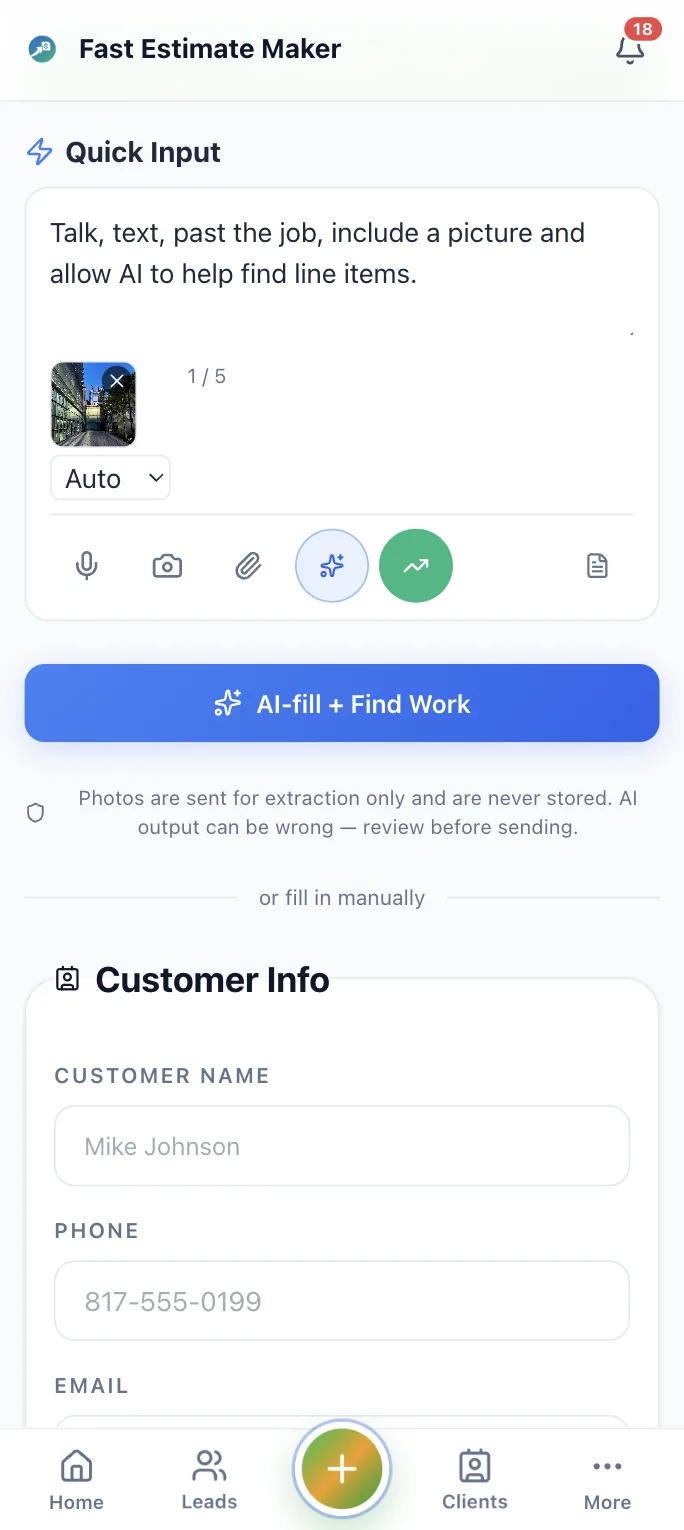
Speak or type the job scope in plain contractor language. AI turns customer details, trade-specific notes, quantities, and pricing into a branded estimate in about 60 seconds. Have a photo instead? Snap a job-site photo and AI drafts the line items.
TEXT MESSAGE DELIVERY
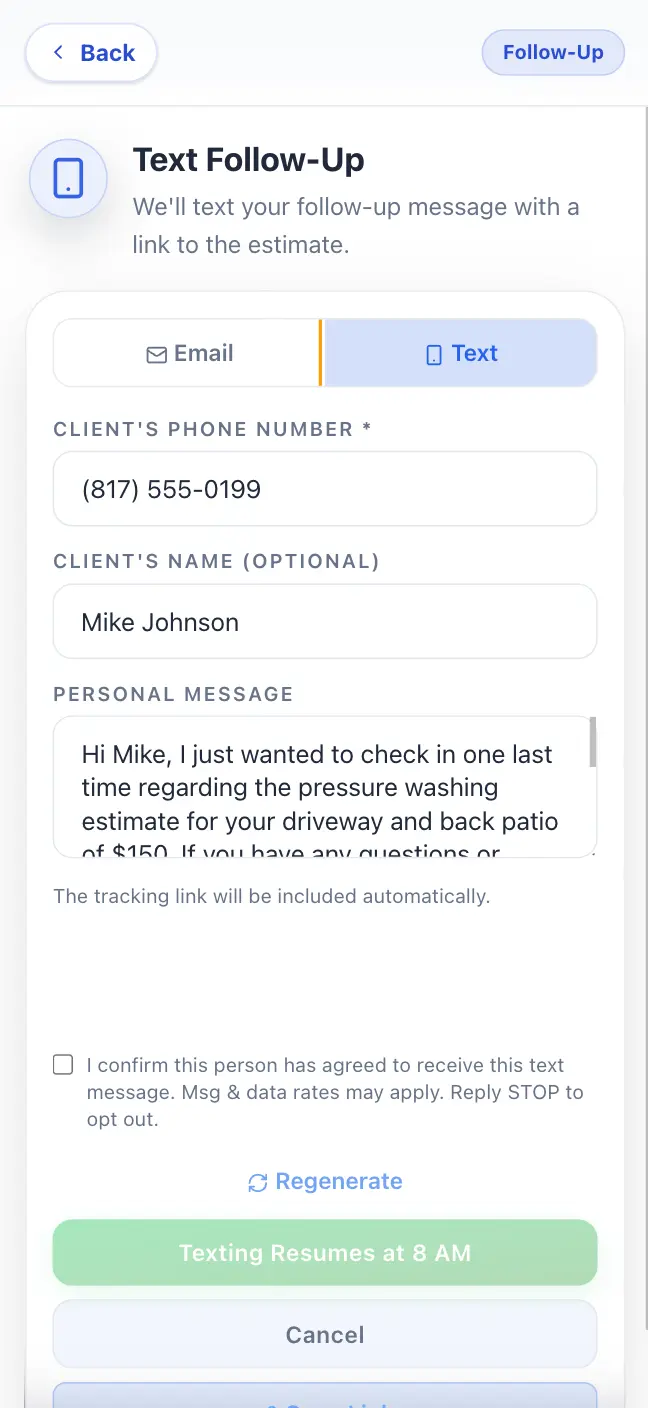
Send estimates via text - they land in their pocket, not buried in email
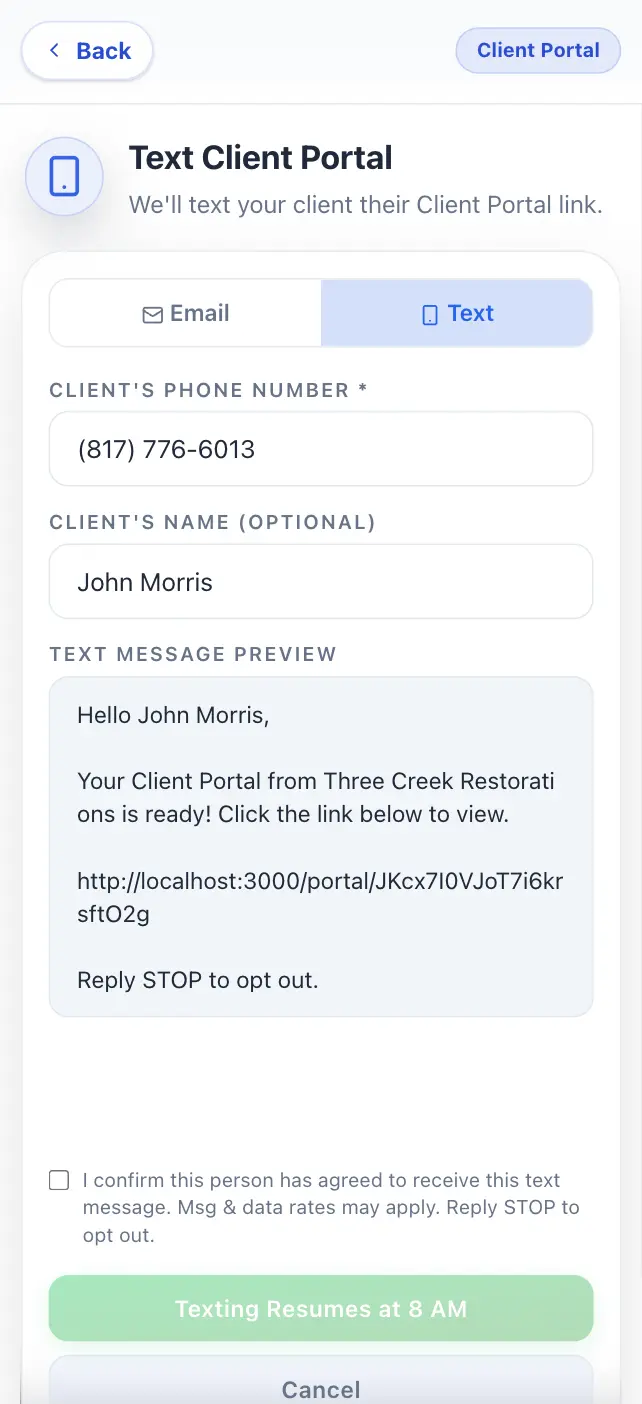
Send the estimate by SMS with your business name, logo, and a mobile estimate link. Customers review, accept, or decline from their phone while you see opens in real time.
BRANDED ONLINE ESTIMATES
Your logo, your colors, your pricing - on every estimate
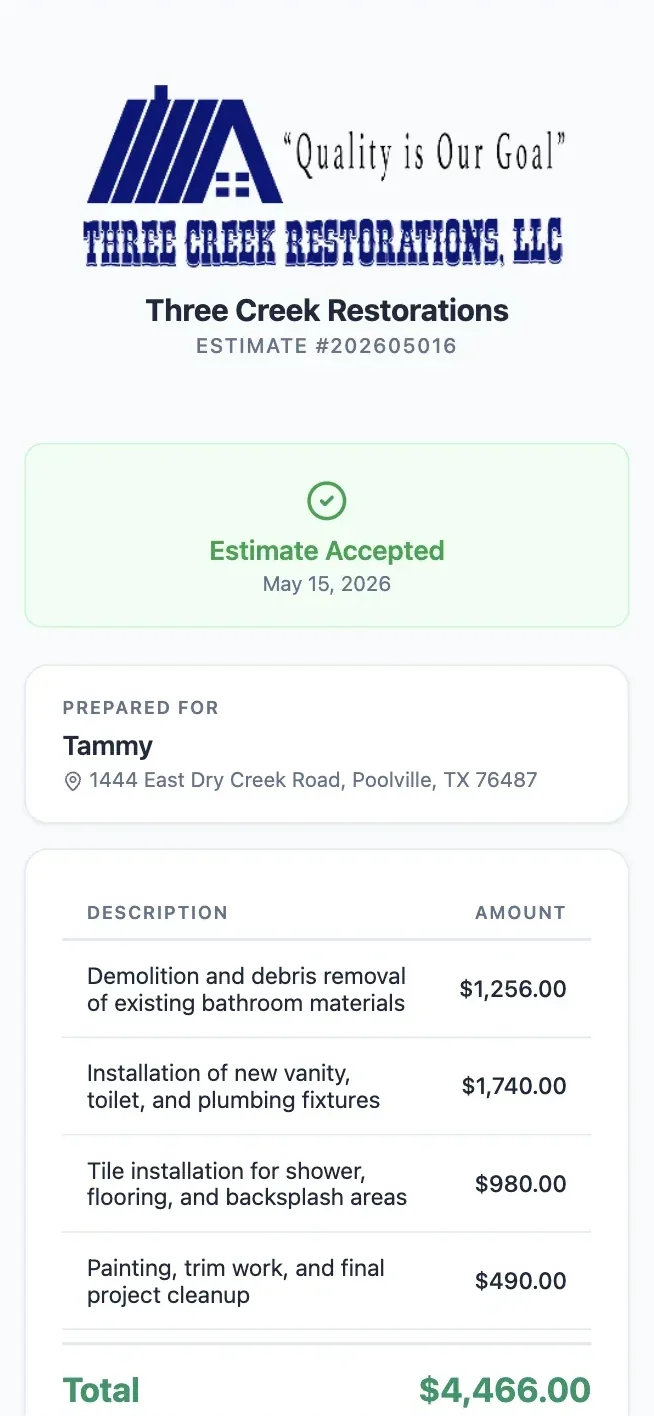
Every quote uses your logo, colors, pricing, terms, tax settings, and customer portal link, so fast estimates still look professional and local to your business.
OPTIONAL ADD-ONS
Let clients add paid extras when they accept the estimate
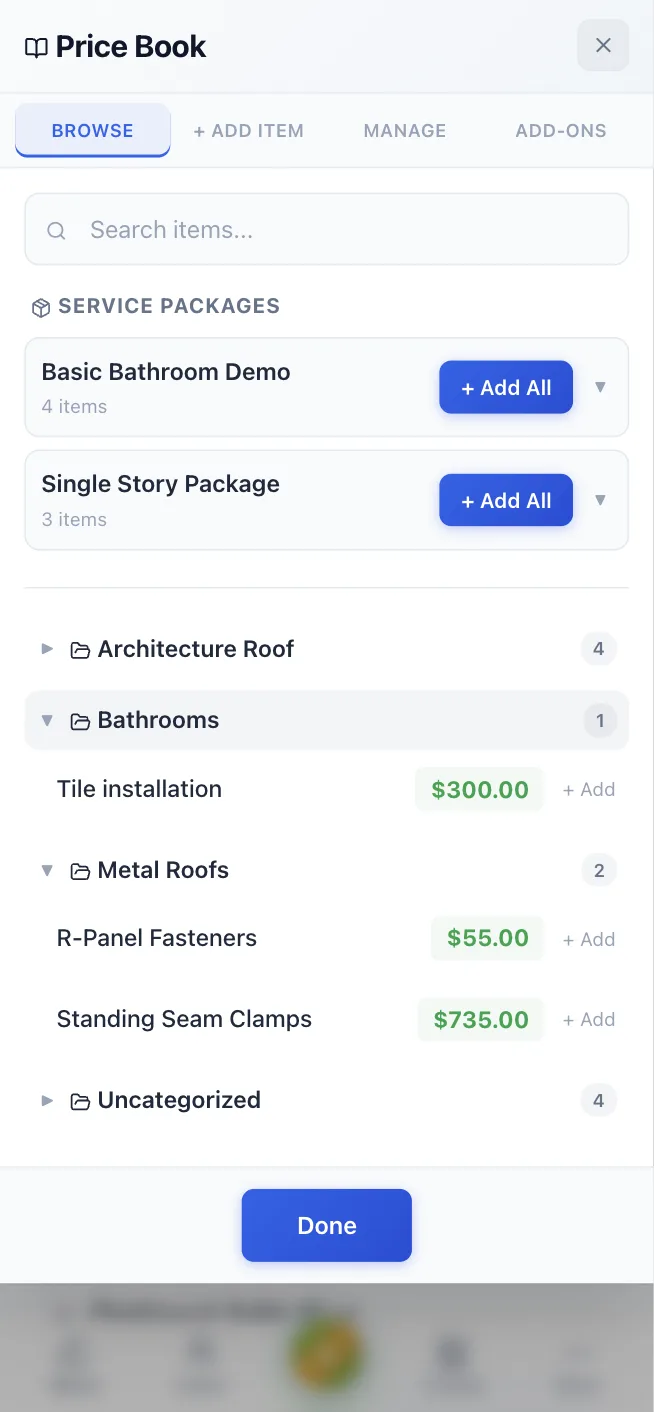
Offer optional add-ons like haul-away, premium materials, warranties, or gutter cleaning at acceptance. Customers choose extras, the total updates, and the signed scope stays accurate.
AI-WRITTEN FOLLOW-UPS
When the estimate goes quiet, the next message is already drafted
When an estimate goes quiet, AI drafts a follow-up tied to the actual job, view activity, and timing. Copy the message into text or email and keep the lead moving. If the customer taps Not right now, the drafts adjust: they stop when the customer passes, wait for the month they picked, or make way for their question.
Talk like you're explaining the job to a buddy - AI handles the rest.Send estimates via text - they land in their pocket, not buried in email.Your logo, your colors, your pricing - on every estimate.Let clients add paid extras when they accept the estimate.When the estimate goes quiet, the next message is already drafted.
Estimate at today's prices, not last year's
Build a new estimate from a past one in a tap, or pull a recorded job cost
straight onto the draft with your markup applied. Material prices climb every
season - quoting from what you actually paid keeps the increase in the
customer's total instead of quietly eating your margin. And if live material
prices rise on an estimate your customer hasn't signed yet, FEM tells you, so you
can update the price before it costs you.
Yes. Your first 3 estimates are free, with no time limit and no credit card. After that, unlimited estimates are $29.99 a month on the Solo plan.
No signup form. Describe the job and your estimate starts building right away. You add your email when you're ready to send it or save it for later.
A real estimate, not a blank template: line items with quantities and prices, a job description, your business name and logo, and your terms. You can edit any line, then send it by text or email, and your customer can accept and e-sign it from their phone.
Yes - it works as a free quote generator too. Choose Quote as the document title, or type your own, and the PDF, the page your customer opens and the emails all say it.
From your Price Book and labor rate once you set them. For anything else, each line suggests a typical price for your trade, and Include Costs looks up local material prices. You check every price and can change it before you send.
Yes. Take or upload a photo of the job and the AI drafts the line items from what it sees. On a computer, scan the code with your phone and the photos come straight to the page.
Speak the job scope, customer details, quantities, and pricing from your phone. AI turns it into a branded contractor estimate you review before sending.
You always review the estimate before sending. The AI pre-fills everything - customer info, line items, quantities, prices - and you can edit any field. Think of it as a first draft that's right 95% of the time, not a black box.
Yes. You control every price, line item, unit, tax setting, and optional add-on. AI helps format the estimate; it does not set your margins.
It supports contractor terms across roofing, HVAC, plumbing, electrical, painting, landscaping, cleaning, fencing, pest control, and more.
Yes. Forward a customer email and FastEstimateMaker extracts the job details into an estimate draft ready to review.
AI drafts the next follow-up from the estimate and view activity. You review and send it by text or email.
The message changes with the moment. Early follow-ups feel like a helpful check-in, later ones reinforce the scope and next step, and the last nudge adds polite urgency. Every draft stays tied to the estimate the customer already received.
Yes. You can adjust the cadence, skip a follow-up, or generate one on demand whenever a customer goes quiet.
The follow-up reminders stop as soon as the customer accepts or passes on the estimate, so you never nudge someone who already decided. If they tap Not right now and pick a month, you get one check-in reminder the week before that month instead. If they send a question, it reaches you right away with their preferred way to reply.
FastEstimateMaker tracks estimate opens and tells you when the customer has viewed the link, how many times, and when they last looked. That gives the follow-up draft the right timing and gives you better context before you send it.
They can tap Not right now on the estimate and tell you why: the price, the timing, another contractor, or a question. The reason shows up on the lead with a next step, like revising the price, checking in before the month they picked, or answering their question. Revise the estimate and re-send it, and they see the update at the same link.
Generate your next estimate free
Describe the job, check the priced line items, and send a branded estimate your customer can sign from their phone. FEM keeps the follow-up moving while you work, and once the job's paid it can ask for the Google review too.